Color Role System
Automatic color assignment with 29 curated roles across themed categories.
Deployment
settings Auto-Setup
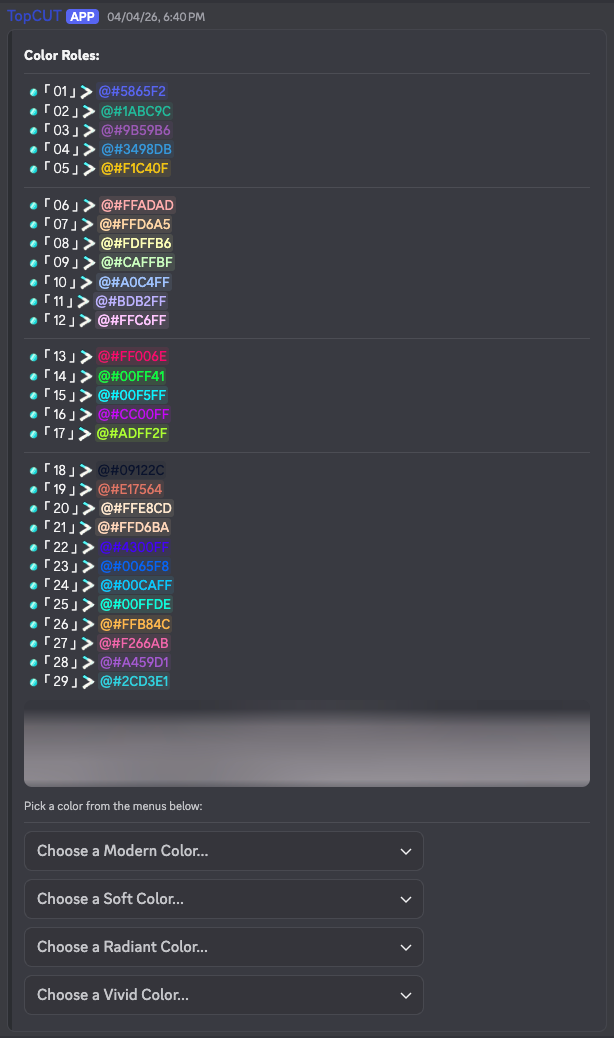
Creates 29 aesthetic roles and posts a selection menu with themed dropdowns in the specified channel.
visibility UI Preview
Posts a public preview of the color role menu without saving it as the server's primary menu.
Utility Tools
delete_forever Global Cleanup
Deletes all color roles and the selection message from the server to reset the system.
troubleshoot Hierarchy Debug
Lists exact role positions to identify permission issues or role order conflicts.
Guide
How to Use
Initialize: Run the setup command in your desired channel. The bot will automatically create all necessary roles and post the menu.
Interactive Menu: Users can then select their favorite color from themed categories. The bot handles all role assignments instantly.
Aesthetic Control
The system is designed to be plug-and-play. Once setup, it requires zero maintenance. Roles are automatically managed and cleaned up if the system is reset.