Giveaway System
Launching Giveaways
/giveaway start
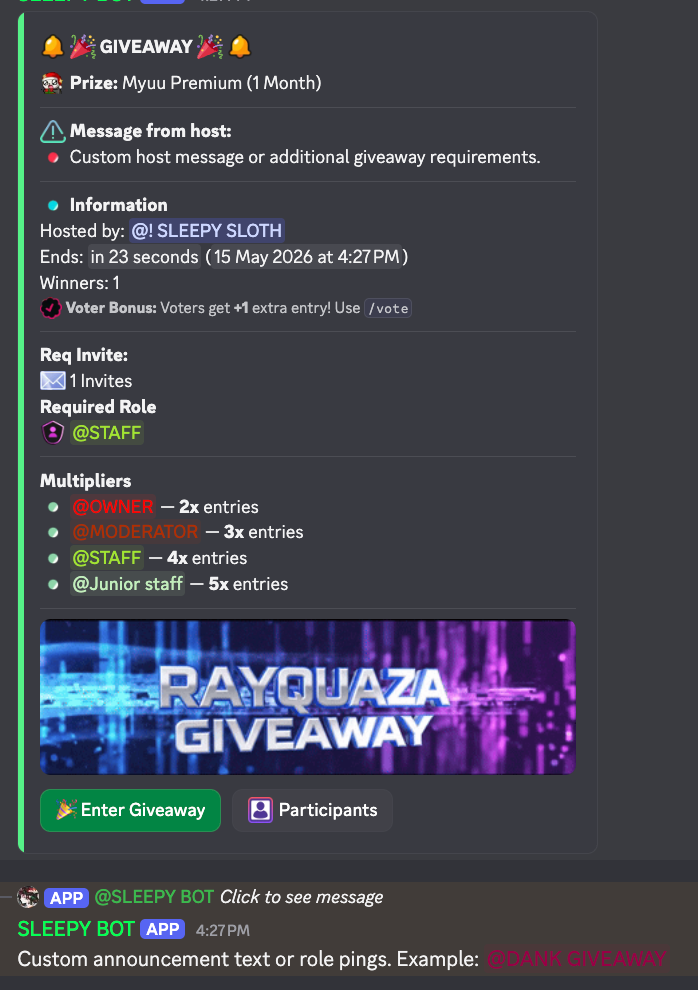
Launch professional giveaways with interactive buttons and strict entry requirements.
- • Required Role: Limit to specific roles.
- • Required Invites: Set minimum invites.
- • Banner Images: Attach images to command.
- • Custom Prize: Displayed in the header.
- • Live Buttons: One-click entry.
- • Auto-Winner: Picks winners on end.
Custom Pings: Use the message parameter to include an announcement or role ping (sent as a clean reply directly to the giveaway).
Management & Control
dashboard_customize Interactive Manager
Post a persistent interactive control panel for managers to create giveaways via buttons.
list_alt Active Giveaways
Shows a dashboard of all currently running giveaways in the server for easy tracking.
image_aspect_ratio System Defaults
Set a universal banner image for all server giveaways using /giveaway config default-image.
bolt Quick Drop
Start a "first-to-claim" style event where the fastest clicks win immediately.
edit Live Editing
Modify prizes or extend durations while a giveaway is already running.
refresh Reroll & End
Force an early end to draw winners or pick new winners for past events.
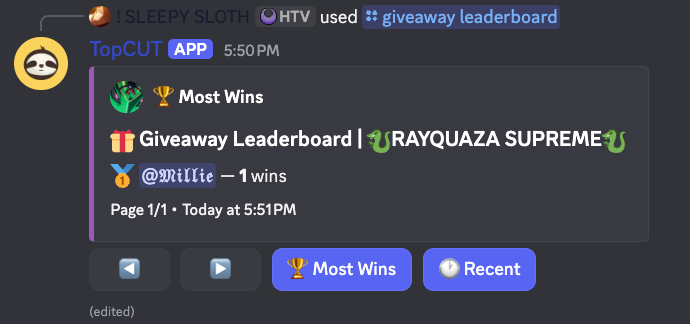
leaderboard Winners Leaderboard
Track the most successful participants with a multi-page leaderboard showing total wins.
Entry Multipliers
Role-Based Bonus Entries
Reward your active members with extra tickets. For example, give Donators 3x chances while Boosters get 2x.
info Manage all entry bonuses in one place via the multiplier dashboard.
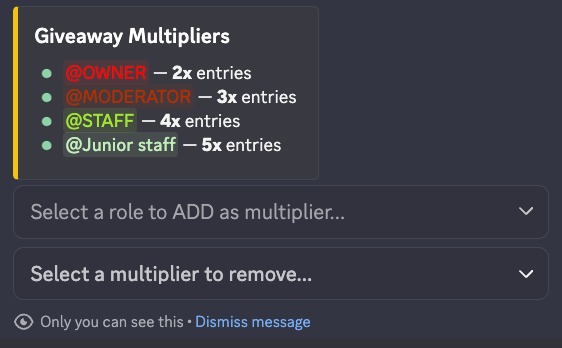
Applied instantly to all active events.
Visual Command Reference
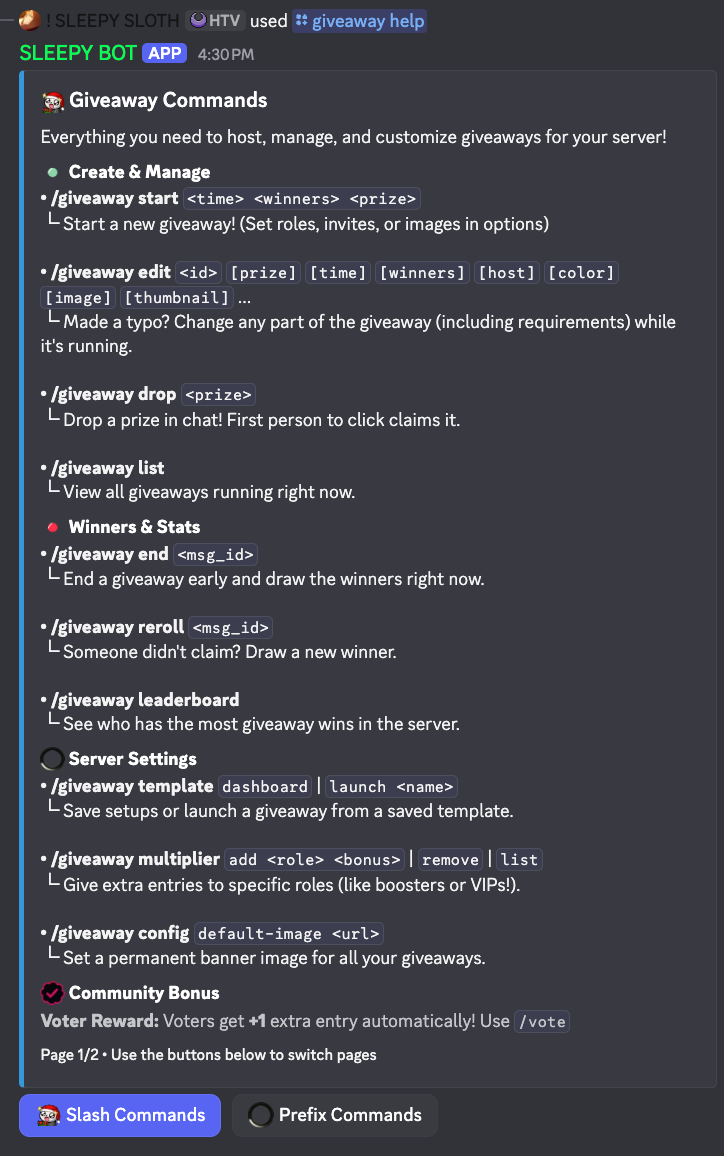
apps Slash Command Registry
Modern interactive command set with full parameter support and auto-completion.
terminal Quick Prefix Tools
Fast surgical tools for those who prefer typing over menus. Optimized for speed and efficiency.
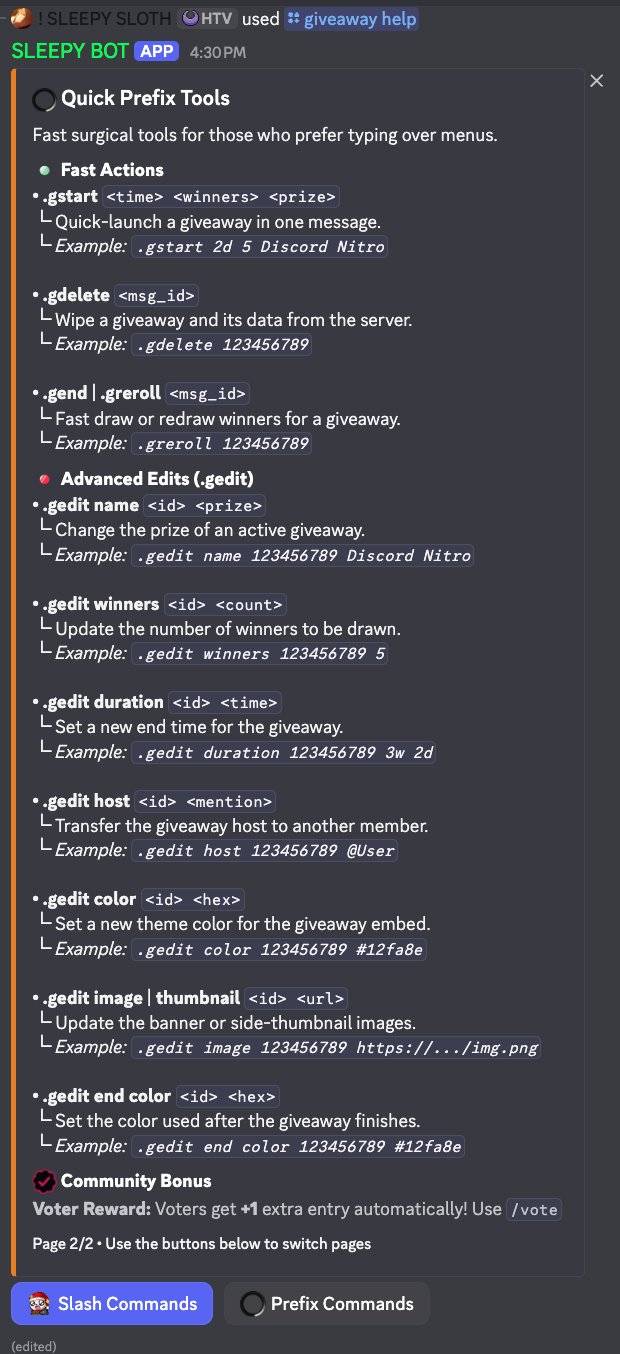
Prefix Commands
Fast Actions
└ Quick-launch a giveaway in one message.
└ Example: .gstart 2d 5 Discord Nitro
└ Wipe a giveaway and its data from the server.
└ Example: .gdelete 123456789
└ Fast draw or redraw winners for a giveaway.
└ Example: .greroll 123456789