Utility Module
Memo System
Auto-Response System
Personal Dashboard
edit_square
Creation & Auto-Response
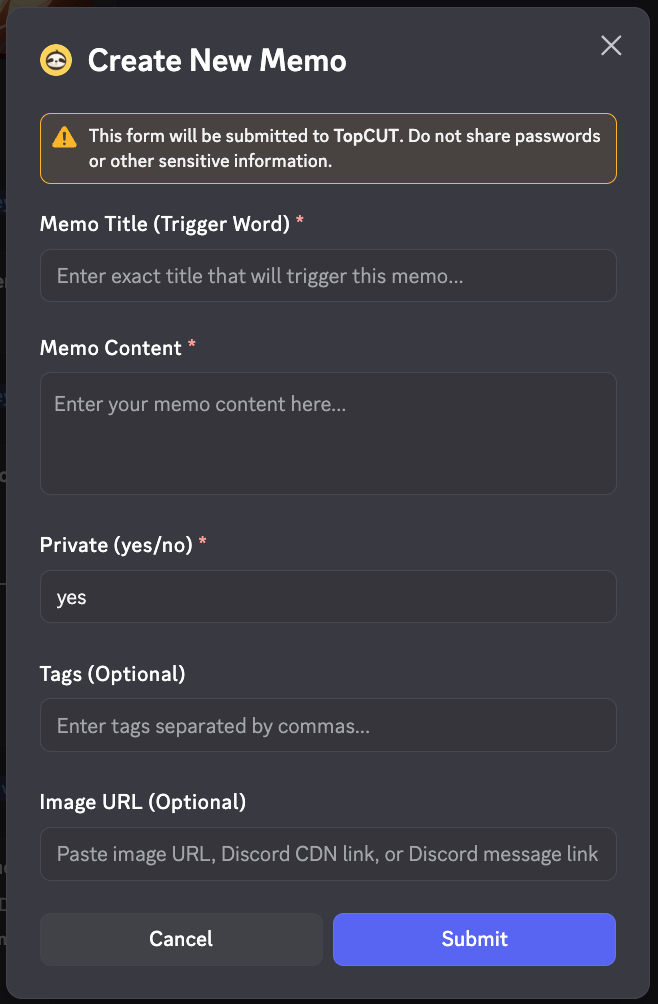
/memo create
Opens a simple modal to design your memo. Fields include Title (the trigger), Content, Tags, and Image URL.
Title as Trigger
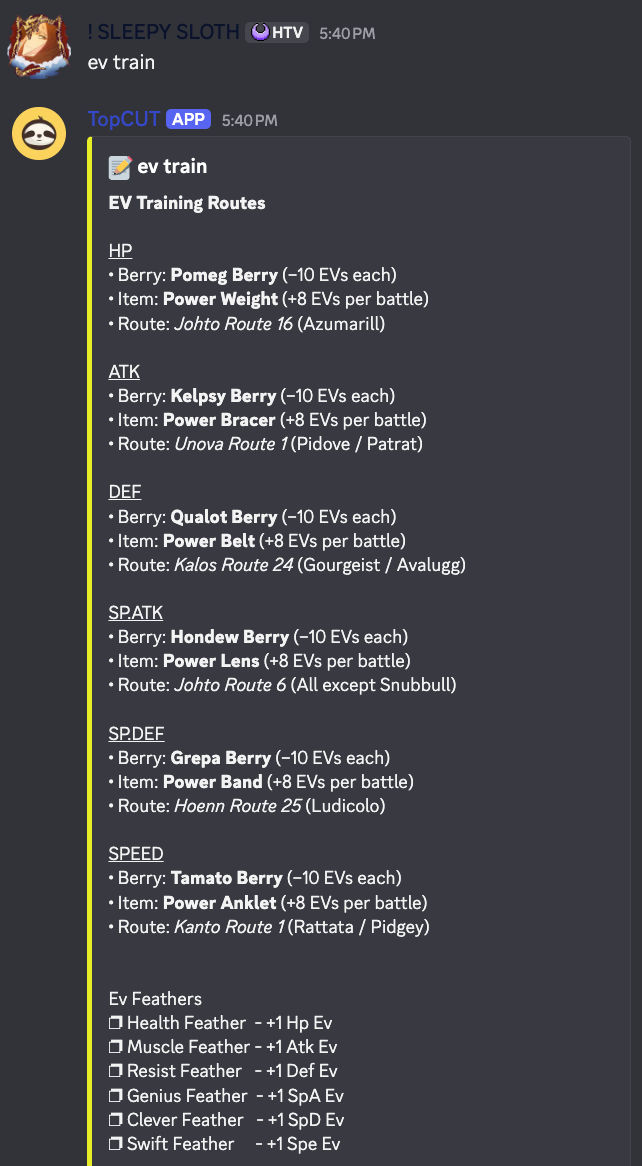
If you set the title to "rules", typing "rules" in any chat will cause the bot to automatically respond with your memo's content.
Image Support
Supports Direct Uploads, External URLs, or Discord CDN links for seamless media integration.
/memo create [image:file] [url:image_url]
Auto-Response Setup
•
Public — Anyone in the server can trigger the memo response.
•
Private — Only you can trigger the response.
•
Edit Anywhere — Use the dashboard or edit command to update content instantly.
insights
Management & Statistics
/memo dashboard
See all your stats at once, including total memos, public/private breakdown, recent activity, and storage usage.
/memo dashboard
/memo list
Easy-to-browse list with paging. Displays Memo ID, Title preview, Privacy status, and usage count.
/memo list
lock
Security & Privacy
/memo privacy
Toggle your memo between Public and Private. Only creators can modify privacy settings.
/memo privacy memo_id:<id> privacy:public/private
/memo delete
Permanently delete a memo by its ID. Note: You can only delete memos you personally created.
/memo delete memo_id:<id>